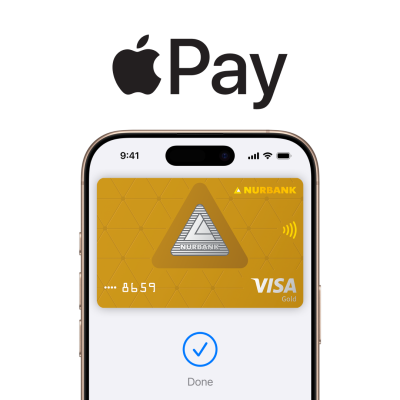
No need to open the app or wake your device; simply bring your iPhone close to the terminal and confirm the transaction with biometrics.
Works everywhere contactless payments are accepted, as well as in mobile apps and Safari on iPhone, iPad, and Mac. With Apple Watch, you can pay without having an iPhone in hand.
Card details are not stored on the device and are not transmitted to the merchant, a unique token is used. Each transaction is confirmed by Face ID, Touch ID, or passcode.
Contactless payments in stores are processed even without network connectivity
bring the device to the terminal and confirm the payment with Face ID or Touch ID. After a successful payment, a message 'Done' will appear, accompanied by a light vibration and sound signal
double-press the side button, turn the watch display towards the terminal - a sound signal will confirm the payment
select Apple Pay at checkout and confirm the payment with biometrics. On a Mac without Touch ID, you can confirm the payment with a linked iPhone or Apple Watch.


Apple's service for contactless payments with iPhone, Apple Watch, iPad, and Mac. Cards are stored in the standard Wallet app, and payments are confirmed with biometrics or a passcode.
iPhone SE, iPhone 6 and newer models, Apple Watch, iPad with Touch ID or Face ID, Mac with Touch ID (or any Mac paired with an iPhone/Apple Watch). All devices must have the current version of the operating system installed.
Update iOS (at least to iOS 12), sign in to iCloud, enable Face ID or Touch ID, and install the bank application or Apple Wallet
Everywhere there is a contactless payment symbol: in stores, cafes, public transport, as well as in mobile apps and websites that support Apple Pay.
No, internet is not required for in-store payments via NFC. A connection is only needed when adding a card and for payments in apps and online.
Yes. The actual card number is not stored on the device and is not transmitted to the seller; instead, a unique token is used. Each transaction requires biometric confirmation or a passcode.
Through the 'Find My' service, you can enable Lost Mode and remotely disable Apple Pay, making the cards in Wallet inaccessible. There is no need to block the physical card, as the actual card number is not stored on the device.
Ensure that the card is supported by the bank in Apple Pay, the device has the latest version of iOS installed, you are signed in to iCloud, and biometrics are configured. If the issue persists, please contact the bank that issued the card.
iPhone in store: To pay for a purchase in a store, double-click the iPhone's side button when the screen is locked or when any app is open. Then authenticate using Face ID, Touch ID, or passcode and bring the device close to the terminal. Done.
Apple Watch in store: To pay for a purchase in a store, double-click the Apple Watch's side button and bring the device close to the terminal. Done.
Online and in-app: If you want to pay for purchases on a website or in an app, find the button  Tap it, confirm your details, and authenticate using Face ID, Touch ID, or passcode. Very simple.